
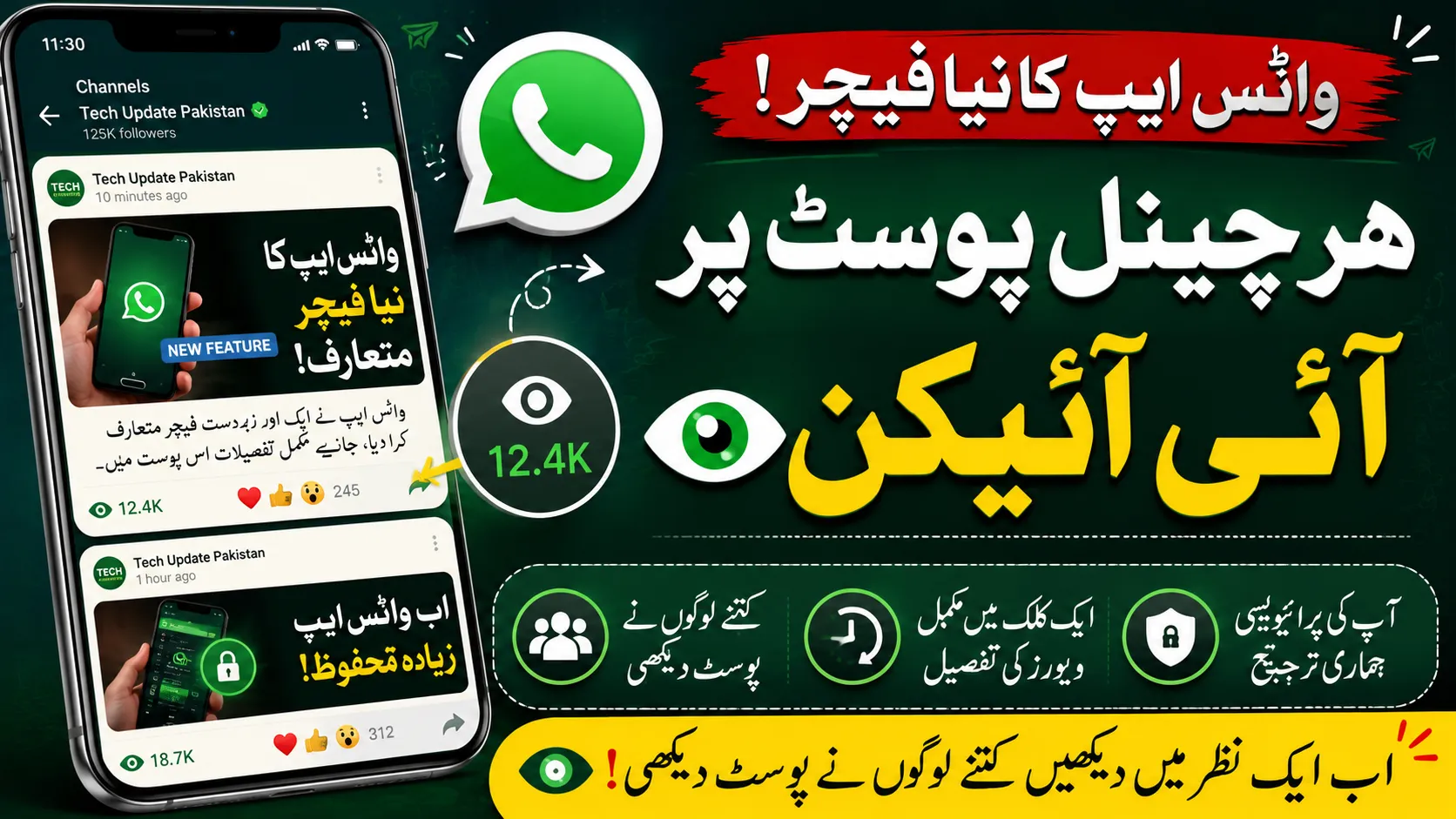
WhatsApp is rolling out another useful update for its channel feature. The latest change adds an eye icon below every channel post, making it easier for users to check who has viewed their updates without navigating through multiple menus.
The new feature is designed to improve the user experience by showing recent viewers and total post views directly from the channel screen. Similar to Instagram Stories, users can now quickly understand how their channel is performing at a glance. The feature has started appearing for many Android and iPhone users and is expected to expand globally in stages.
If you’ve recently noticed a small eye icon beneath your WhatsApp channel you’re not alone. Here’s everything you need to know.
👉 You may like: Cadet College Jhelum Jobs 2026 for Non-Teaching Staff
What Is the New WhatsApp Eye Icon?
The eye icon is a shortcut that provides quick access to your channel viewers.
Previously, users had to open their channel and swipe up or tap the viewer count to see who had viewed it. With this update, WhatsApp places the viewer information directly below each Status, making it much faster to check engagement.
The feature may display:
👉 You may like: ANF Jobs 2026 Online Apply for Stenotypist, UDC, LDC & More
- Eye icon below each post of channel
- Number of people who viewed the channel post
- Small profile pictures of recent viewers (for supported versions)
- One-tap access to the complete viewers list
This brings WhatsApp Status closer to the experience users are familiar with on Instagram Stories.
How the New Feature Works
Using the feature is very simple.
👉 You may like: Cadet College Jhelum Faculty Jobs 2026 for Male Teachers
Step 1
Open WhatsApp.
Step 2
Go to the Channel tab.
Step 3
Open your Post.
Step 4
You’ll notice a small eye icon underneath your post.
Step 5
Tap the icon to view everyone who has seen your post.
On supported versions, WhatsApp also displays profile thumbnails of recent viewers for even faster access.
What Information Does the Eye Icon Show?
The feature can display several useful details, including:
- Total Channel Post views
- Recent viewers
- Complete list of contacts who viewed the post
- Viewer activity without opening extra menus
This makes checking engagement much quicker than before.
Why WhatsApp Added This Feature
WhatsApp continues improving its Status experience as more users share:
- Daily updates
- Photos
- Videos
- Business promotions
- Personal announcements
The company wants users to interact more naturally with Status updates while reducing the number of taps required to perform common actions. Similar interface improvements have appeared in recent beta versions before wider release.
Similar to Instagram Stories
Many users immediately noticed similarities with Instagram.
Both platforms are owned by Meta, so it isn’t surprising that some features are becoming consistent across apps.
Like Instagram Stories, WhatsApp now lets users:
- See Status engagement quickly
- View recent viewers
- Access viewer lists with one tap
- Check Status performance more easily
The goal is convenience rather than introducing a completely new capability.
Is This a Completely New Feature?
Not exactly.
WhatsApp has allowed users to see who viewed their Status for years by tapping the eye icon or opening the viewers list, provided Read Receipts are enabled.
What’s new is the interface.
Instead of hiding the viewer information inside another menu, WhatsApp is now surfacing it directly below each Status update, making it easier and faster to access. Recent beta versions also indicate profile previews of viewers may appear alongside the view count.
Who Can See Your Status?
The feature does not change your Status privacy.
Your Status remains visible only to the audience you’ve selected.
Privacy options include:
- My Contacts
- My Contacts Except…
- Only Share With…
The new eye icon simply makes it easier for you to check viewers—it does not make your Status public.
Does Everyone Get the Feature?
No.
Like most WhatsApp updates, the rollout is gradual.
Some users may receive it earlier than others depending on:
- Device
- Country
- Operating system
- WhatsApp version
- Beta participation
If you don’t see the eye icon yet, update WhatsApp through your device’s app store and wait for the phased rollout.
What If You Can’t See Status Viewers?
There are several possible reasons.
Read Receipts Are Disabled
If Read Receipts are turned off, WhatsApp limits Status viewer information for both parties.
Status Expired
Status updates disappear after 24 hours.
Once expired, viewer information is no longer available.
Old WhatsApp Version
Update to the latest version to receive the newest interface improvements.
Feature Not Rolled Out Yet
Meta often releases features gradually across regions.
Privacy Remains Protected
Although the interface has changed, WhatsApp’s privacy model remains the same.
Status updates continue to use:
- End-to-end encryption
- Audience controls
- Contact-based visibility
- Read Receipt settings
The eye icon is simply a new shortcut for viewing information you already had permission to access.
Benefits of the New Eye Icon Feature
The update offers several practical advantages.
Faster Access
No more swiping through menus.
Better User Experience
Viewer information appears exactly where users expect it.
Quick Engagement Tracking
Businesses, creators, and everyday users can instantly see how many contacts viewed a Status.
Cleaner Interface
Everything related to a Status is now grouped together.
How Businesses Can Benefit
Businesses using WhatsApp Status for marketing can now:
- Track customer engagement more quickly
- Measure campaign reach
- See who viewed promotional offers
- Follow up with interested customers
The feature makes Status updates a more practical communication tool for small businesses.
Tips to Get More WhatsApp Status Views
If you want more people to view your Status:
- Post high-quality photos.
- Upload short videos.
- Share updates regularly.
- Post during active hours.
- Add useful information.
- Keep content interesting.
- Use attractive captions.
- Avoid posting too many updates in one day.
Frequently Asked Questions
What does the eye icon mean on WhatsApp Status?
It shows the number of people who viewed your Status and lets you open the viewers list quickly.
Is the eye icon available for everyone?
Not yet. WhatsApp is rolling it out gradually to users worldwide.
Can I hide my name from Status viewers?
If you disable Read Receipts, your name won’t appear in others’ Status viewer lists, but you also won’t be able to see who viewed your own Status.
Does this feature affect privacy?
No. Your Status privacy settings remain exactly the same.
Is this available on Android and iPhone?
Yes. The rollout covers both Android and iOS, although availability depends on your app version and rollout stage.
Final Thoughts
The new WhatsApp Eye Icon is a small but useful interface improvement that makes checking Status views much more convenient. While it doesn’t introduce a brand-new capability, it places viewer information front and centre, reducing extra taps and giving users a quicker way to monitor engagement.
As Meta continues refining WhatsApp Status with features inspired by other social platforms, users can expect an increasingly polished experience without compromising the app’s strong privacy controls. If you haven’t received the eye icon yet, keep your app updated—it’s likely to arrive as the global rollout continues.
